
Yes—Your Domain Can Stay the Same
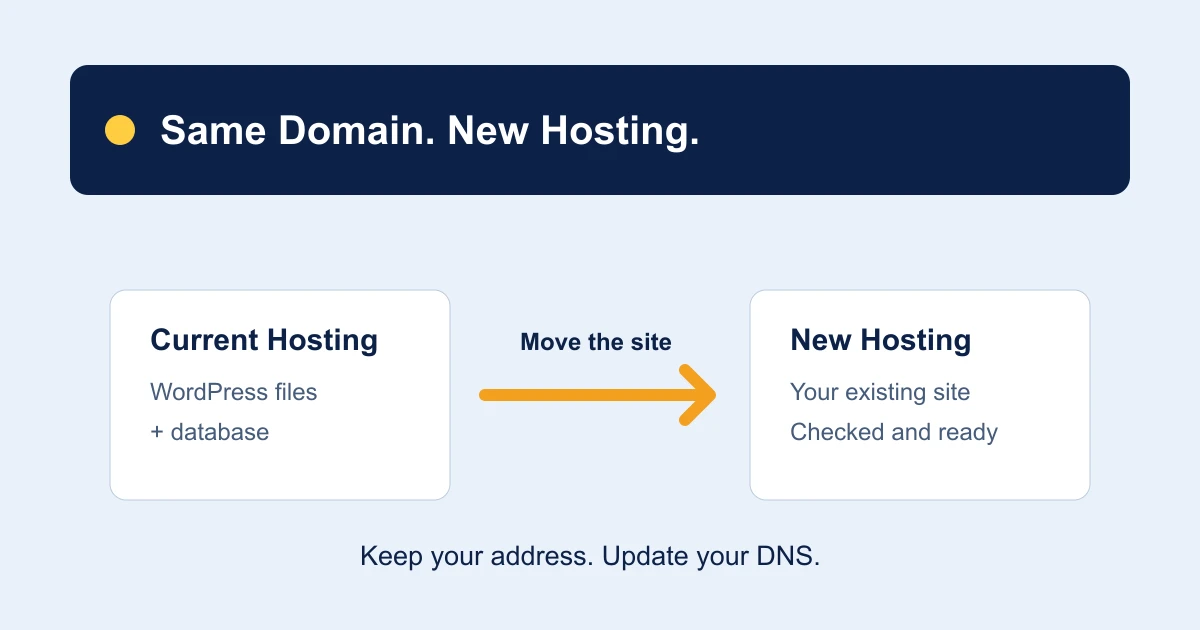
You can change WordPress hosting without changing your domain name. Your website can keep the same address, and you can usually leave domain registration with its current provider. The move changes where your website runs; DNS connects your existing address to that new location.
You do not need to buy another domain or rebuild your website just to switch hosting. Copy the WordPress site, test it on the new hosting, then update the appropriate DNS settings. Keep the old hosting active until the transfer is checked.
If you are comparing options, our WordPress hosting plans include website migration. Order a plan and open a ticket to arrange the move.
Domain, Hosting and DNS: Three Different Jobs
| Service | What It Does | During a Hosting Move |
|---|---|---|
| Domain registration | Keeps your domain registered to you. | Can remain with your current registrar. Keep renewing it. |
| Website hosting | Runs WordPress and stores its files and database. | The website is copied to the new hosting. |
| DNS hosting | Directs website, email and other traffic. | Update the relevant records, or plan a nameserver change. |
These services may be sold together, but they are not the same thing. If your old hosting company also manages your domain or DNS, check which services remain available when you cancel the hosting package.
A domain registration transfer changes the registrar. A website migration changes the hosting. You can arrange them separately; transferring registration is not a prerequisite for moving your WordPress site.
Do You Need to Change Nameservers?
Not always. If your existing DNS service will remain active, you may be able to update just the website records. Your new host should provide the correct values. Review both the main domain and its www address, including any IPv6 records or proxy settings, rather than changing one record and assuming the whole site has moved.
If you change nameservers, DNS management moves to the new provider. Prepare all required records there before switching: website records, mail routing, email authentication, subdomains and verification records. Replacing nameservers without copying those records can disrupt services unrelated to your website.
Use the settings supplied for your account, not an IP address from an online example. Tell the migration team if you use a DNS proxy, CDN or DNSSEC so the change can be coordinated.
Keeping the Domain Does Not Automatically Move Email
Your email address can stay the same, but existing messages and mail routing need their own plan. First, find out whether mailboxes live on your old hosting account or with a separate email provider.
- Email on the old hosting: agree how mailboxes and stored messages will be transferred, and when mail delivery should switch.
- Email with a separate provider: retain its MX and required authentication records when changing DNS.
- Website-generated email: check contact forms, password resets and store notifications on the new setup.
Do not cancel an account that still holds mail you need. Tell our team about your email arrangement and confirm the mailbox-transfer scope before ordering.
Keep the WordPress Address and Test the New Copy
For a move that keeps the same domain and public URLs, the final WordPress address normally remains the same. Do not change it to a temporary hostname just because the server is changing. A migration tool or your hosting team can help with the preview method and any configuration adjustments.
Check that the new copy includes the files and database, then test pages, images, logins and forms. Confirm HTTPS works for the addresses visitors use. Premium plugins, scheduled jobs and external integrations may need checks too. WordPress documents moving an installation while keeping its domain and URLs.
For stores or membership sites, agree how new orders and account changes will be handled during the final copy. A backup from yesterday may not contain today’s sales.
What About Links and Google Rankings?
Keeping the same public URLs means visitors can continue using existing bookmarks and links. Preserve the paths, HTTPS behaviour and any existing redirects. A server move alone does not require redirecting every page to a new address.
Check that important pages still load and search engines can reach them. Monitor Search Console after switching. Google’s hosting-change guidance recommends testing before the DNS change and monitoring traffic afterward. Keeping the domain does not guarantee unchanged rankings or eliminate every migration risk.
When Is It Safe to Cancel the Old Hosting?
Wait until the new website is working, DNS has switched and any agreed email transfer is complete. DNS caches update at different times, so some visitors can reach the old server after others reach the new one. Confirm the transition with your hosting team rather than relying only on what loads on your own device.
Keep independent backups. Check the old provider’s cancellation terms and make sure you are cancelling the hosting service—not the domain registration you intend to keep. Also confirm that any DNS service you still rely on will remain active.
If a renewal is approaching, start early enough to allow for checks. Our WordPress hosting renewal-cost guide explains how to compare the next bill with a new plan, including first-payment discounts and standard renewal rates.
How to Move Your WordPress Site to TrentaHost
Choose your WordPress hosting plan, then open a support ticket. Tell us your domain, renewal date, website size and where email is hosted. Include any store, booking or membership features that need special coordination.
We will request access securely, arrange the website transfer and help you check the site before the DNS switch. Keep your existing hosting active until the move is complete. See our WordPress migration service for the process, or use the migration checklist to prepare your information.
Unsure how your domain, DNS and email are connected? Ask about your website before ordering. Send the domain and describe your setup; our team will request any access details through the appropriate secure process.
Keep Your Domain. Let Us Help With the Move.
Website migration is included with our WordPress hosting plans. Choose your plan and open a ticket to get started.
Explore WordPress Hosting ↗